Users can add collaborators to videos/audio stored in Kaltura and choose specific permissions to allow editing and/or publishing.
Note for users of screen readers: Letters in parentheses in the instructions below refer to corresponding areas on example images. If you have any questions about these instructions, contact the Office of Learning Technologies for assistance opens a new website.
- Access My Media in Canvas or at mediaspace.uab.edu. (Learn how to access My Media.)
- Locate and click the title of the desired video.
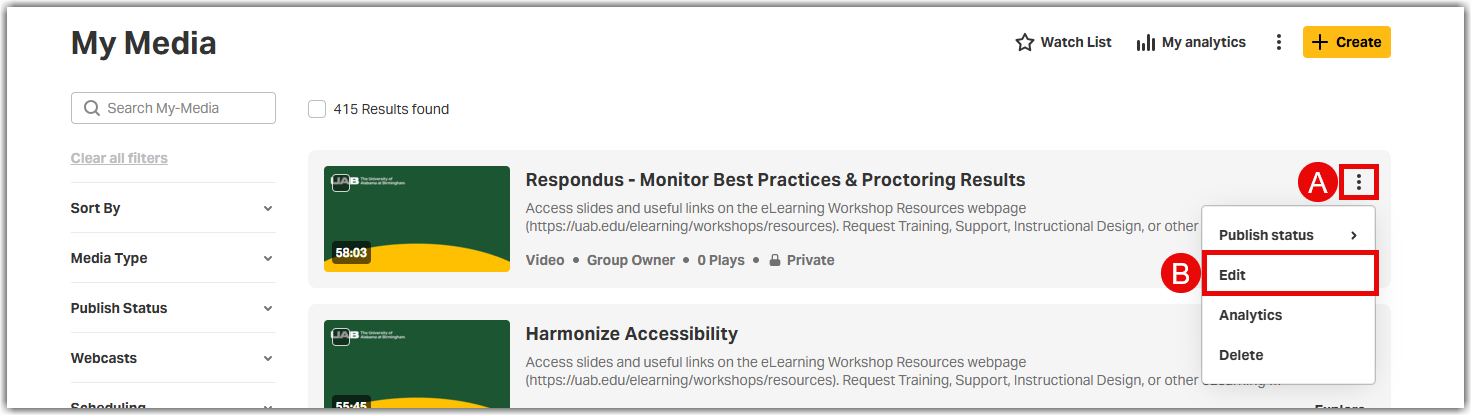
- Click More Options (A) under the video and select Edit (B)
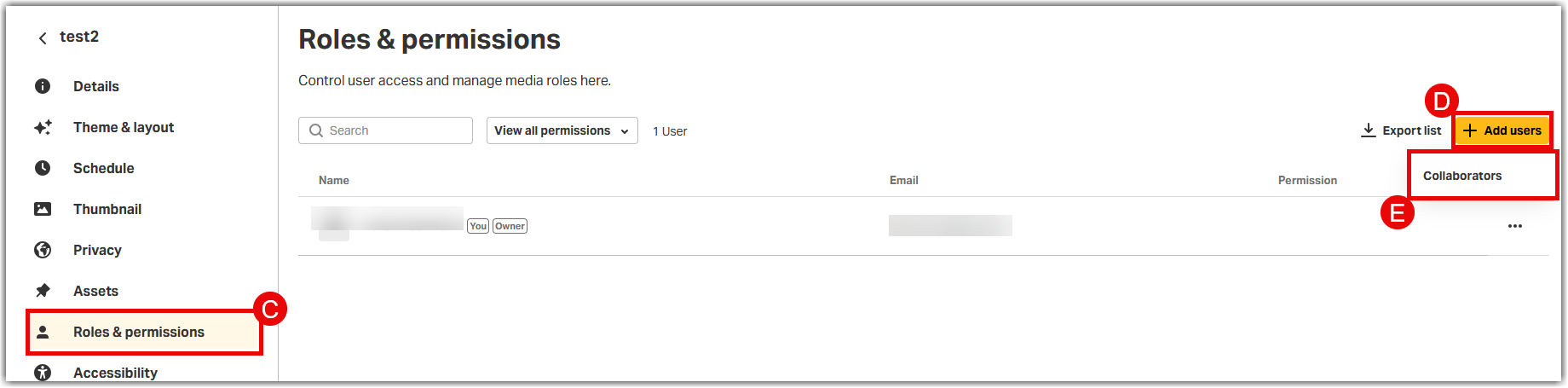
- Once on the edit screen for the desired media, select the Roles & Permissions (C) tab under the video and click +Add Users (D) then select Collaborators (E)
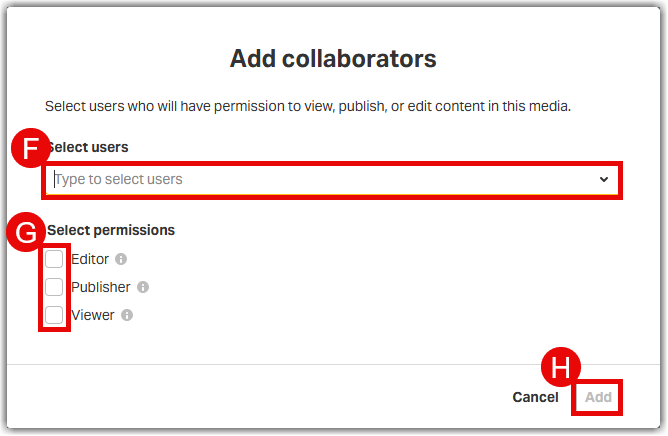
- Enter the users UAB email address in the Search Bar (F). Select the desired Permission(s) (G) for the selected collaborators. Click Add (H) to add collaborators to Kaltura video.
Notes
- Co-Editor: can edit the entry’s details and metadata, trim media, replace media, edit captions edit chapters and edit slides. Co-editors cannot delete media or add new co-editors and co-publishers. Co-editors can also see the analytics page for media they co-edit.
- Co-Publishers: can publish media to their entitled course Media Galleries, categories or channels.
- Co-Viewers: only able to view media. Co-viewers do not have editing permissions, nor are they allowed to view unlisted entries, unless they are also co-publishers or co-editors of that entry.