



Compensatory time, or ‘comp time,’ is an arrangement by which eligible employees are entitled to time off in lieu of overtime pay. Comp time hours are calculated at time and a half, the same as overtime, but instead of the employee receiving pay, a bank of hours is established for the employee to use as paid time off at a later date.
Review the frequently asked questions below, or refer to HR Policy 213: University Campus Overtime and Compensatory Time for Non-Exempt Employees in the UAB Policies & Procedures Library to learn more.
-
Compensatory Time in Campus Kronos
In 2018, changes were made to Campus Kronos to facilitate a new policy allowing the use of compensatory time for UAB employees (see HR Policy 213). This policy is now a fully functional process in Campus Kronos. Please review the policy to determine if you are eligible for compensatory time.
Print and video training materials on earning, taking and managing compensatory time are available under the Training Resources tab. Instructor-led training is also available and can be scheduled by contacting HRIS@uab.edu.
If you have questions or need additional assistance, please go the Comp Time FAQs tab or contact hrmrecords@uab.edu. Technical issues in Campus Kronos should be reported to payhelp2@uab.edu.
How Does Compensatory Time Work?A Work Rule Transfer is used to convert overtime (pay) to compensatory time (paid time off).
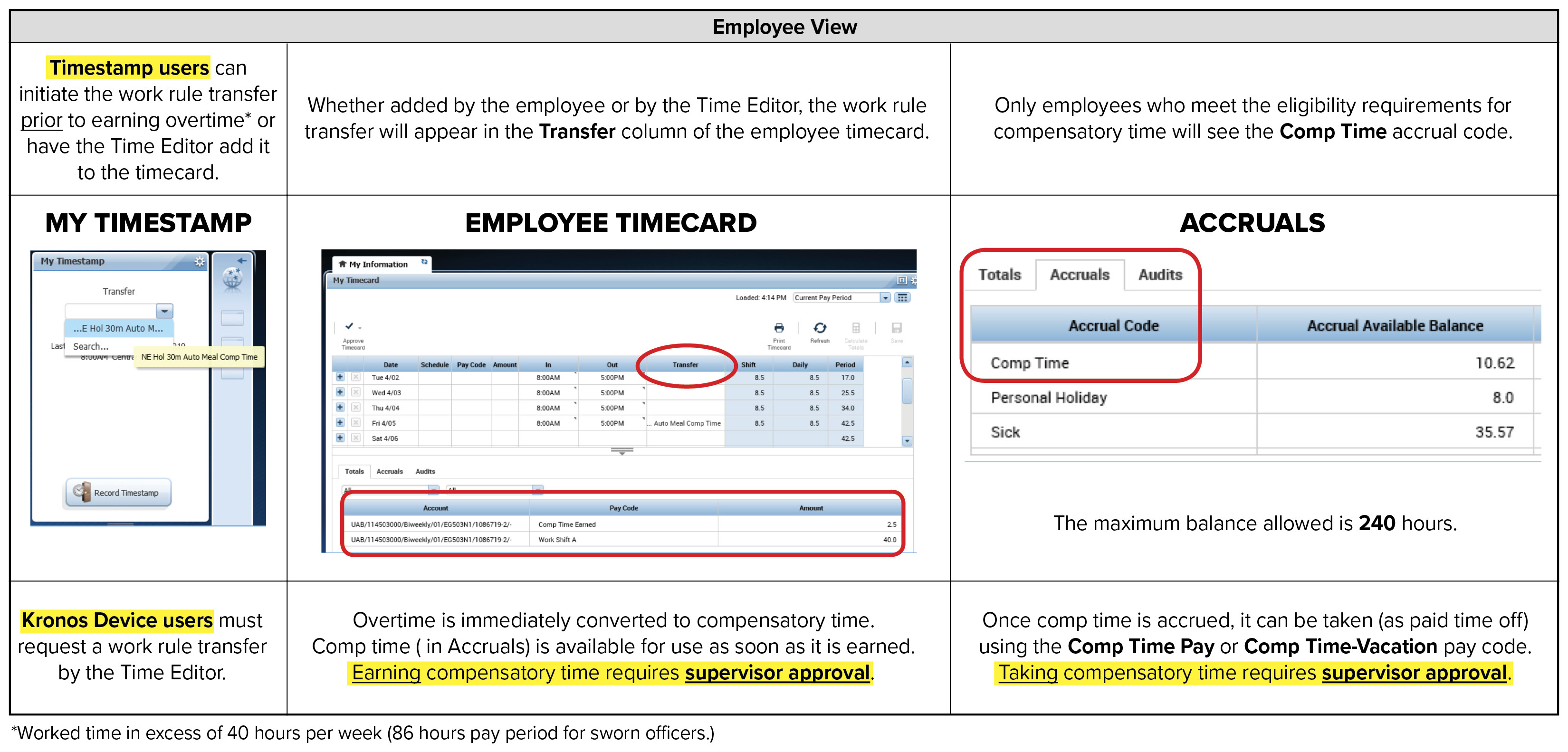
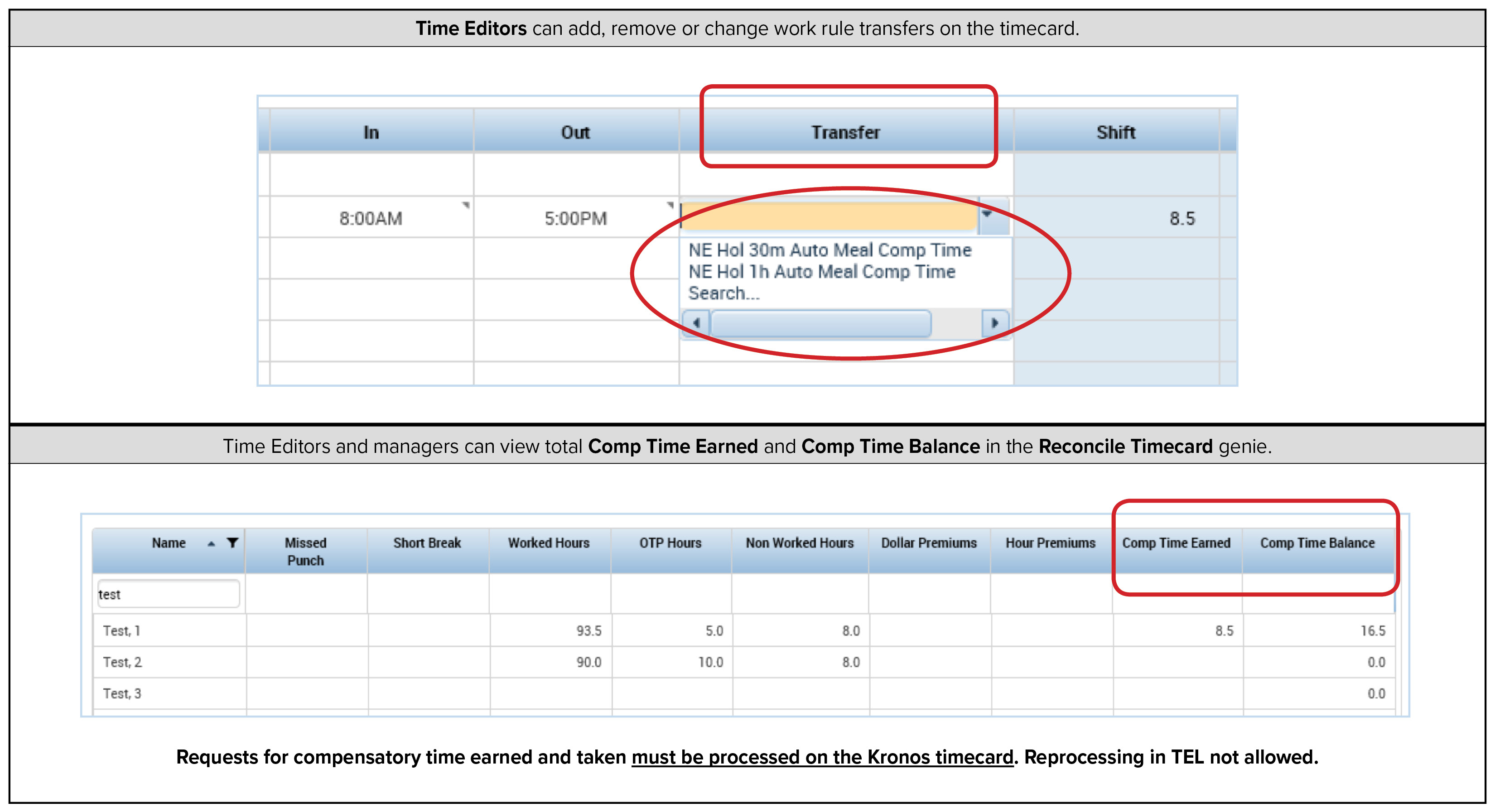
Contact HR Records at hrmrecords@uab.edu or the Kronos helpdesk at Kronos@uab.edu for more information. -
Training Resources
PDF Quick Guides⇨ Print/download UAB Campus Kronos Comp Time EMPLOYEE GUIDE (PDF)
• Employee Guide: How to Find Your Work Rule (PDF)
⇨ Print/download UAB Campus Kronos Comp Time TIME EDITOR GUIDE (PDF)
⇨ Print/download Compensatory Time Payroll Costing Quick Guide (PDF)
Training Videos
-
Comp Time FAQs
1. What is compensatory time?
2. Is everyone eligible for comp time?
3. Can my supervisor require me to take comp time instead of getting paid for overtime?
4. Why do I need supervisor approval to receive compensatory time?
5. How much Comp Time can I accrue?
6. Can I accrue more than 240 hours of comp time if my manager allows it?
7. Can my supervisor require me to take overtime pay instead of getting comp time?
8. How do I make a request to be ‘paid’ in comp time hours if I punch in on a computer?
9. How do I request to be ‘paid’ in comp time hours if I punch in on a clock?
10. If I add a work rule transfer on Monday, will it move all overtime that I work during the week to comp time?
11. Is training available?
12. I want to get some of my overtime in pay and some in comp time, can I choose to get both in the same pay period?
13. Can I request comp time if I am on probation?
14. I forgot to ask for comp time before I approved my timecard, can I reprocess in TEL to get it?
15. What will happen to my comp time if I move into another position, department, or org at UAB?
16. I don’t use Campus Kronos, how do I get comp time?
17. I’m an exempt employee, but I sometimes work extra hours. Can I get comp time?
18. If I work overtime in Week 1 of the pay period, and convert it to Comp Time, can I ‘take’ comp time (as paid time off) in Week 2 of the pay period?
19. How long can an employee maintain the 240 hour maximum accrual? Does it ever “expire”?
20. If I transfer from one department to another within the SAME VP unit, does my accrual go with me?
21. Do I have to use Comp Time before Sick Time or PH Time?
22. Once I submit a request to use earned Comp Time, can I change that request after Kronos approval?
23. Can I earn comp time for on-call hours?
24. Are conferences, trainings or meetings, including travel time, eligible to become comp time?
25. Can I earn comp time in Week 2 of the pay period and use it in Week 1 of the same pay period?
26. I want to add a work rule transfer, but when I open the drop-down menu all I see is ‘Search’?
27. Can Time Editors add a work rule transfer after the time has been worked?
1. What is compensatory time?Compensatory time, or ‘comp time’ is an arrangement by which eligible employees are entitled to time off in lieu of overtime pay. Comp time hours are calculated at time and a half, the same as overtime, but instead of the employee receiving the pay, a bank of hours is established for the employee to use as paid time off at later date.
2. Is everyone eligible for comp time?No. Only employees who are in the non-exempt 01 Regular FT category (non-essential, essential, or AWS), and Workforce Group A (who also use the Campus Kronos system for tracking worked time will have the option to convert overtime hours earned to comp time hours.
3. Can my supervisor require me to take comp time instead of getting paid for overtime?Public sector employers have the option to offer pay or compensatory time for overtime hours worked. Employees must be informed of the policy should the employer choose to offer compensatory time. Please talk to your supervisor if you are unsure if this policy applies to you.
4. Why do I need supervisor approval to receive compensatory time?Departments may choose to pay for overtime worked if allowing compensatory time off within a reasonable amount of time of earning it would unduly disrupt departmental operations.
5. How much Comp Time can I accrue?Employees may carry a balance of up to 240 hours of Comp Time per FLSA guidelines. Departments may set a lower limit, but not one that is higher than the amount allowed by law.
6. Can I accrue more than 240 hours of comp time if my manager allows it?No. The limit on comp time accrued is set by federal regulations. Once the limit is reached, overtime must be paid.
7. Can my supervisor require me to take overtime pay instead of getting comp time?Yes. Earning of comp time is at the discretion of the supervisor/manager to ensure that future requests for comp time off do not disrupt department operations.
8. How do I make a request to be ‘paid’ in comp time hours if I punch in on a computer?**This is a new function in Campus Kronos**
Employees must complete a process called a Work Rule Transfer upon clocking in at the beginning of a day in which overtime will be worked. A work rule transfer will need to be re-applied to each additional day in which overtime is earned.
9. How do I request to be ‘paid’ in comp time hours if I punch in on a clock?At this time, employees who punch in on a clock will need requests for comp time to be entered by the time editor.
10. If I add a work rule transfer on Monday, will it move all overtime that I work during the week to comp time?No. Work rule transfers return to the default setting (overtime pay) at the beginning of each work day. Therefore, the transfer must be made on a day in which overtime hours (OTP-A, OTP-B, etc.) are added (earned) to the timecard.
11. Is training available?Yes. Training material for employees and Time Editors is available on the UAB Comp Time webpage under the Training Resources tab. Departments can also request instructor-led training by emailing HRIS@uab.edu.
12. I want to get some of my overtime in pay and some in comp time, can I choose to get both in the same pay period?In a given pay period, you can choose to convert all or part of overtime hours earned to comp time (with supervisor approval). However, all overtime worked after a work rule transfer is applied to the timecard for a particular day or shift will be moved to the comp time earned pay code.
13. Can I request comp time if I am on probation?Comp time is not restricted by probation. With your supervisor’s approval, you may accrue and use comp time during the probationary period.
14. I forgot to ask for comp time before I approved my timecard, can I reprocess in TEL to get it?No. Comp time is calculated in Campus Kronos only. All requests and approvals for comp time must be made within the same pay period in the Campus Kronos system. Overtime not converted to comp time will be paid to the employee. In the event that Comp Time Pay (time off) is not entered on the timecard prior to sign-off, managers may allow an employee to use Vacation hours for reprocessing.
15. What will happen to my comp time if I move into another position, department, or org at UAB?Per policy, the balance of comp time will be paid out for the following reasons:
- Change in payroll from non-exempt to exempt
- Change from Assignment Category 01 status
- Transfer to different School or VP unit
- Termination of employment
- Retirement
16. I don’t use Campus Kronos, how do I get comp time?At this time, it is only available to employees who track their time in Campus Kronos.
17. I’m an exempt employee, but I sometimes work extra hours. Can I get comp time?No, exempt employees are not eligible for comp time.
18. If I work overtime in Week 1 of the pay period, and convert it to Comp Time, can I ‘take’ comp time (as paid time off) in Week 2 of the pay period?With approval, yes. Comp time becomes available as soon as it is earned.
19. How long can an employee maintain the 240 hour maximum accrual? Does it ever “expire”?Comp time accrued does not expire. However, employees should be allowed to take Comp Time Pay (paid time off) when doing so does not unduly disrupt department operations. Efforts must be made to allow taking comp time within a reasonable amount of time of earning comp time.
20. If I transfer from one department to another within the SAME VP unit, does my accrual go with me?Example: Transfer from Central HR to Facilities, does my accrued time go with me? Both report to VPFAA.
As long as the employee remains eligible for comp time, the balance would not be affected when transferring within the same VP unit.
21. Do I have to use Comp Time before Sick Time or PH Time?No. However, compensatory time earned must be used before Vacation hours.
22. Once I submit a request to use earned Comp Time, can I change that request after Kronos approval?Time editors can make changes to comp time requests after the employee has approved, and before payroll sign off. Requests (or changes to requests) for earning and taking comp time must be completed prior to sign-off for payroll processing. Reprocessing will not be allowed (or possible) for Comp Time Earned or Comp Time Pay.
23. Can I earn comp time for on-call hours?No. Only overtime hours (OTP-A, OTP-B, etc…) worked are eligible for conversion to Comp Time Earned.
24. Are conferences, trainings, or meetings, including travel time eligible to become comp time?Yes. Overtime rules apply to worked hours regardless of where or when those hours are worked. If overtime (OTP-A, OTP-B, etc…) is earned, it may be converted to Comp Time Earned with approval of your supervisor/manager.
25. Can I earn comp time in Week 2 of the pay period and use it in Week 1 of the same pay period?Compensatory time must be available in the Comp Time accrual bank on the day that you wish to use it as paid time off. Kronos processes accruals in real time, so comp time is not available in the accrual bank until after the time at which it is earned. However, comp time can be earned and carried from one pay period to another. Comp time earned in week 2 of one pay period can be used in week 1 of a later pay period.
26. I want to add a work rule transfer, but when I open the drop-down menu all I see is ‘Search’?Click on Search, then Advanced. You should see your work rule here. Select and hit OK. Kronos will remember your selection and make it available in the drop-down menu in the future. Click here for printable instructions: How to Find Your Work Rule (PDF). If you do not see a work rule here, you may not be eligible for compensatory time. Please contact your Time Editor.
27. Can Time Editors add a work rule transfer after the time has been worked?Yes. Time Editors can add, remove or change a work rule transfer at any time during the pay period prior to sign-off for payroll processing.
The Records Administration & Compliance team works as a collaborative, caring partner to ensure the efficient delivery of HR services in meeting the needs of those we serve. We are committed to demonstrating integrity and a positive forward-looking approach with the services we offer. Our mission is to:
- Ensure compliance with federal & state regulations and university policy & procedures
- Provide stewardship, governance and compliance as it relates to HR data
- Provide value-added services and support to stakeholders, end users, HR partners and internal HR departments

 205-934-4408
 205-975-6344

Mailing Address
HR Records, AB 254
1720 2nd Avenue S
Birmingham, AL 35294
Physical Address
Administration Building
701 20th Street South | Room 254
Birmingham, AL 35294
Records Administration & Compliance Staff
Rahul Thadani
Assistant Vice President, HR Systems OperationsDirects Records Administration & Compliance department operations
LaShonda McNair
Manager, HR ComplianceManages Records Administration & Compliance department operations
Donaresa Craig
Leave of Absence CoordinatorLeaves of absence, ACT documents, sick time donations
Keri Timmons
Leave of Absence CoordinatorLeaves of absence, ACT documents, sick time donations
Gail Averett
HR Training and Operations Analyst IIICTA, HR OnBase, Oracle HR, I-9, E-Verify
Kari Cotney
HR Records & Compliance Specialist IIII-9, E-Verify
Sarita Gupta
HR Records & Compliance Specialist IIIACT documents for organizations beginning with 69-70 (Hospital & LLC org)
Sharon Keener
HR Records & Compliance Specialist IIIACT documents for organizations beginning with 0-29, 41-51
Geneva Thompson
HR Records & Compliance Specialist IIII-9, E-Verify, ACT documents for faculty, volunteers and Oracle access only
Majida Ilaiyan
HR Records & Compliance Specialist IIACT documents for organizations beginning with 31-39
Maryhelen Lang
HR Records & Compliance Specialist IIACT documents for organizations beginning with 0-29, 41-51
Angela Wilson
HR Records & Compliance Specialist IIACT documents for organizations beginning with 69-70 (Hospital & LLC org)
Megan Burrell
HR Records & Compliance Specialist IPersonnel Records Management
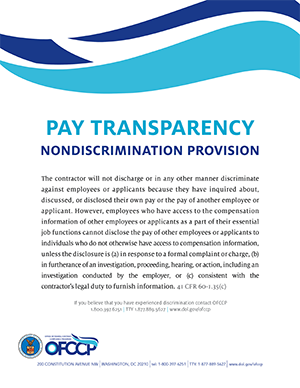
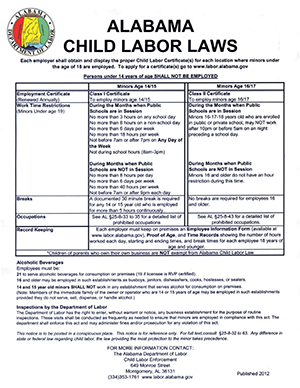
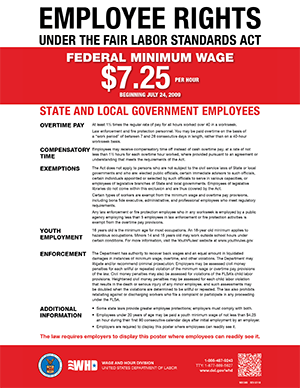
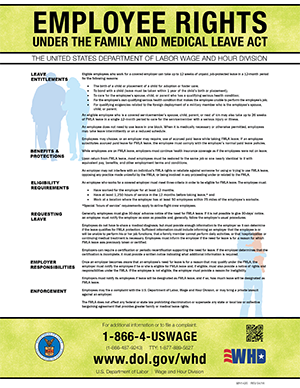
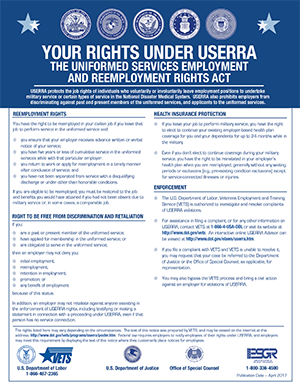
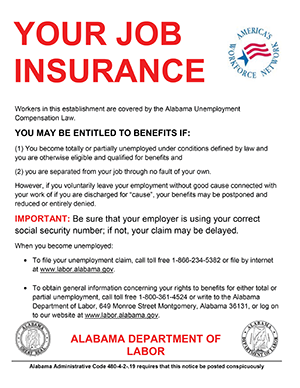
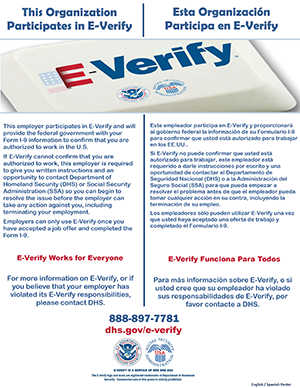
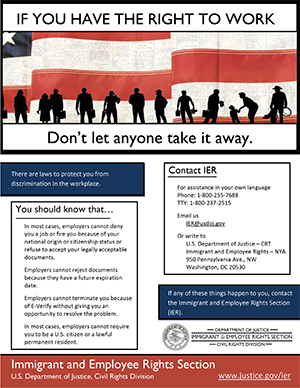
Some statutes and regulations enforced by the U.S. Department of Labor (DOL) require that notices be provided to employees and/or posted in the workplace. Mandated posters can be viewed, download and printed below. DOL provides free electronic copies of the required posters and some of the posters are available in languages other than English. To find posters in languages other than English, visit the Department of Labor website at dol.gov.
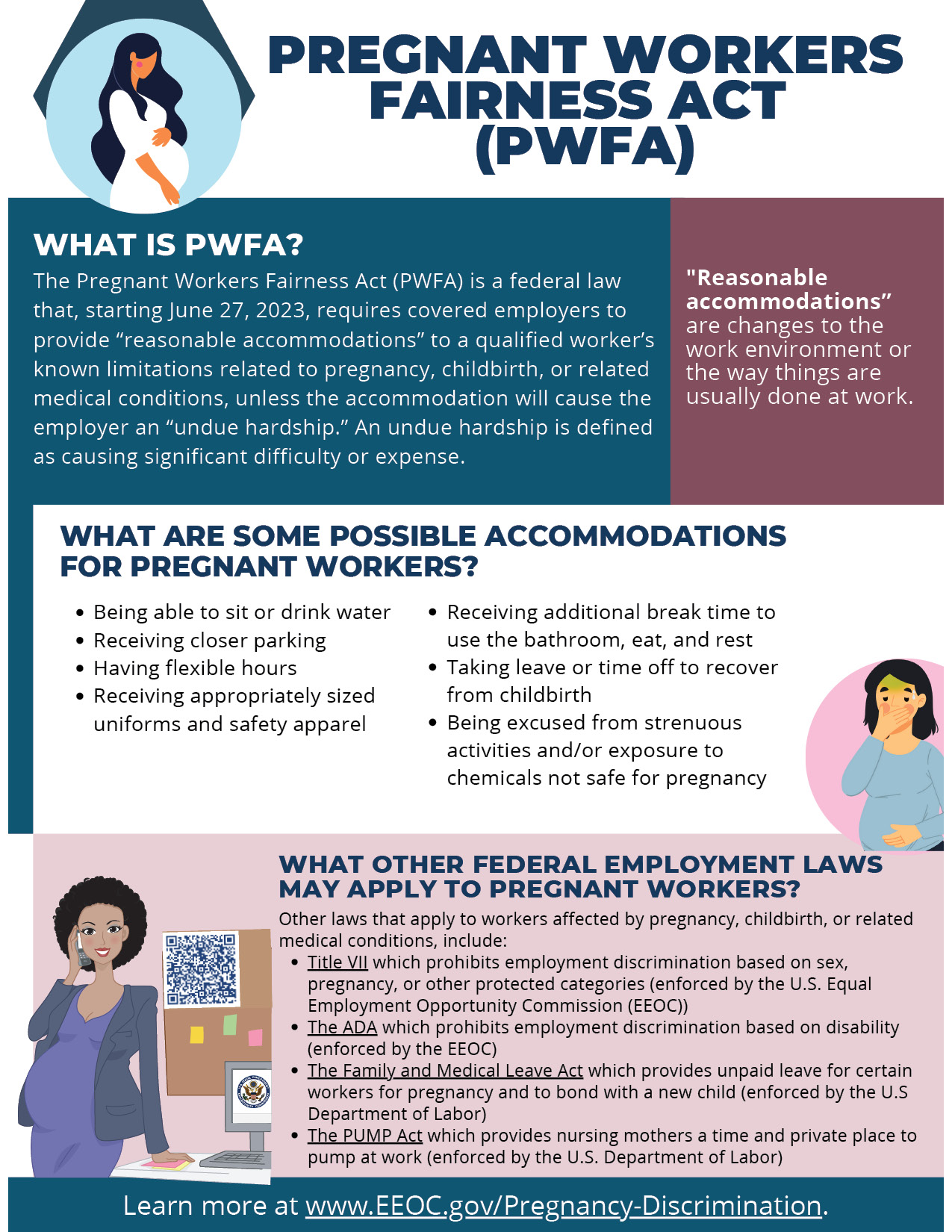
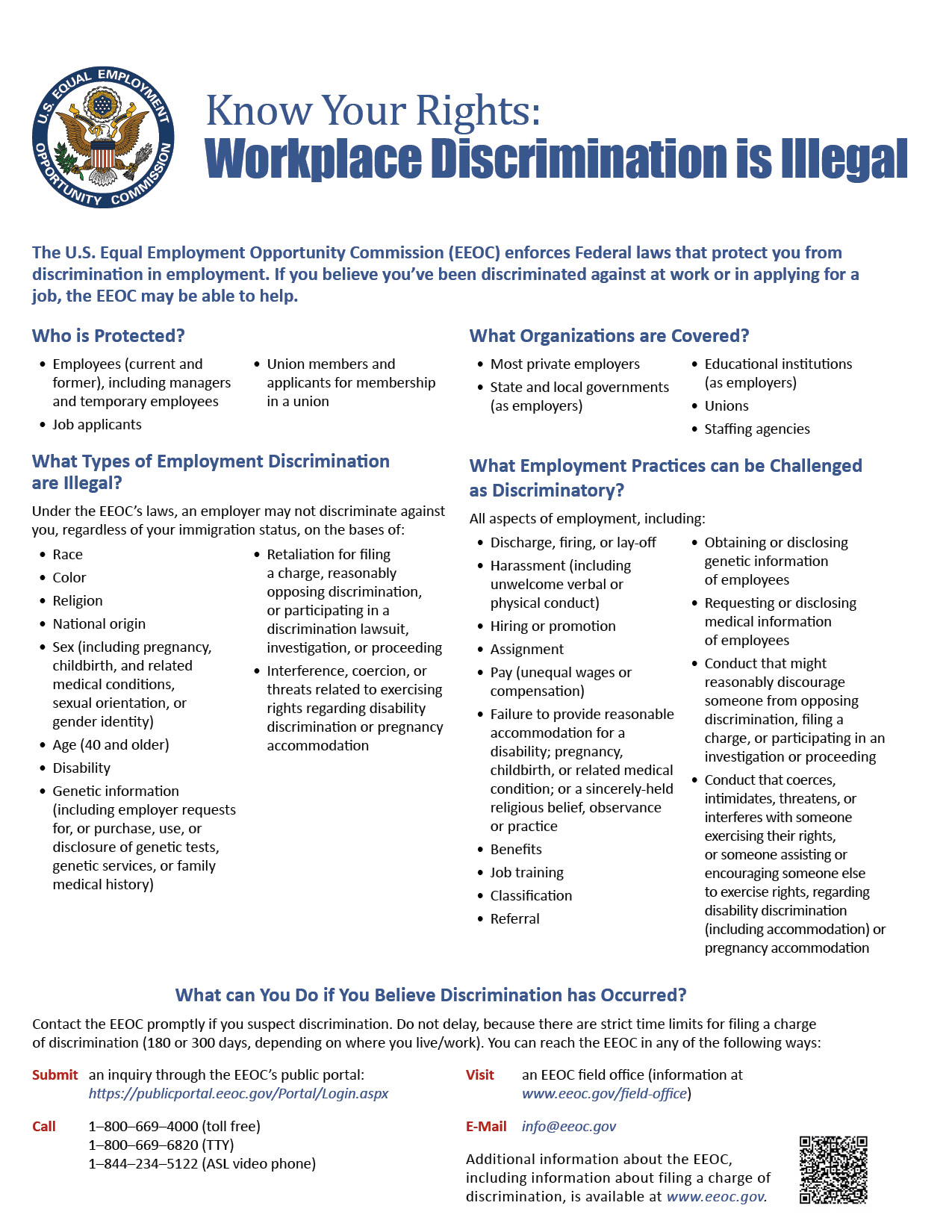
Direct inquiries or complaints to the following, as appropriate:
- Staff and Faculty Concerns: 336 Administration Building | 205-996-4686
- Student Concerns: Title IX Coordinator | Administration Building, Suite 330 | 205-996-1340
UAB Human Resources, Financial Affairs and IT have redesigned the LLC Organization to establish an entity specific organizational and financial structure for employees. This enhancement serves to improve reporting and finacial management of UAB and LLC employees.
-
Entity Review Required
For ACT documents with the proposed entity selection you are trying to create, additional review is required to continue.Please review the Entity FAQs to determine if you have made an entity selection in error. If your selection is not in error, it is necessary for you to request approval to proceed with your entity selection.
Please contact HR Records Administration at 205-934-4408 or hrmrecords@uab.edu for additional assistance.
-
 General Information: What's Changing
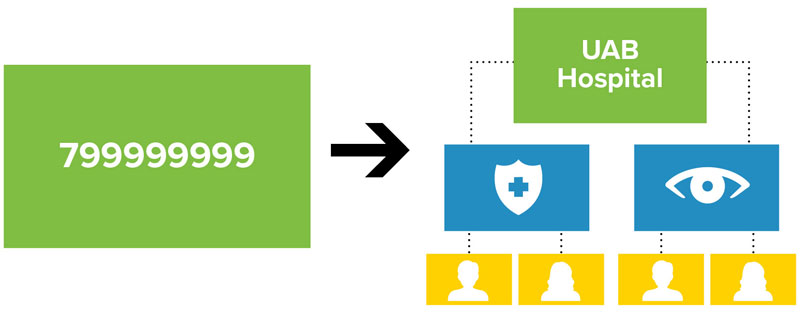
The entity specific organizational structure for the LLC has eliminated the single 799999999 organization. With this change, 6000+ LLC employees will be transferred into appropriate Hospital organizations.Entity Selection
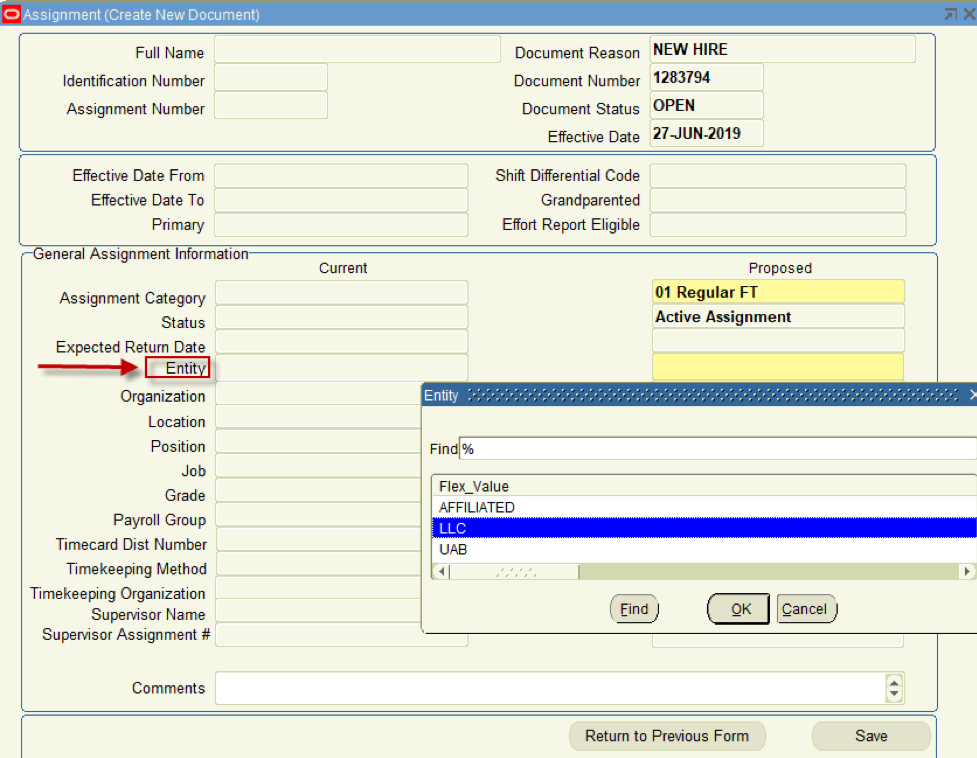
A new field has been added to the ACT assignment form titled “Entity,” which provides three lists of values options:
- UAB: Consist of a position on the UAB Campus and/or UAB Hospital side that may be funded by the University, grants or a combination of the two.
- LLC: Consist of a position that will be solely funded by UAB Hospital Management, LLC.
- Affiliated: Consist of an unpaid contractual position that will only require access to UAB systems to perform daily business functions. (Refer to Assignment Category 59).
ACT document requesters will have to select the appropriate “Entity” during the ACT document process.
Click image above to expand. Viewing a Person’s Entity
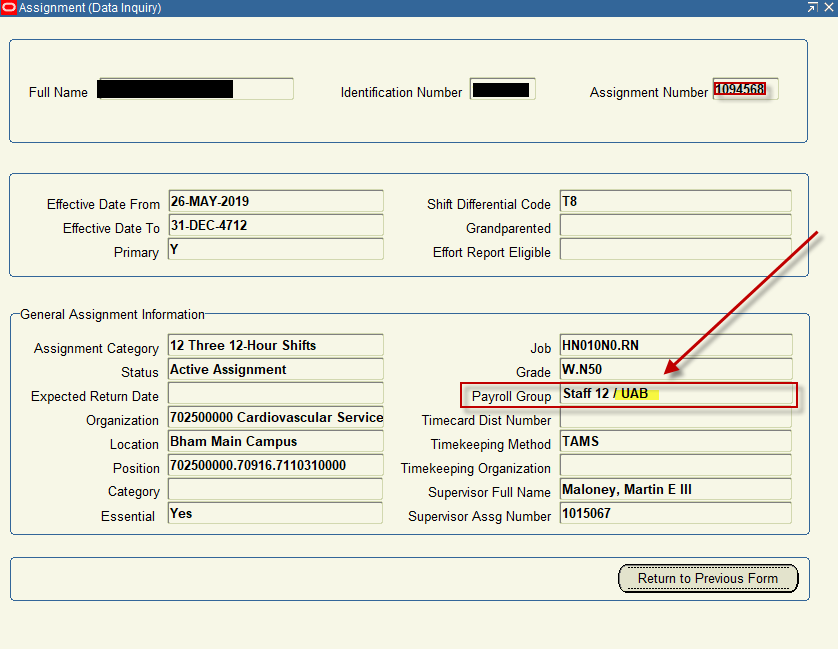
Users will be able to view a person’s entity by:
- Locating the employee in Oracle HR & Finance > Data Inquiry
- Clicking on the Assignment button
- Viewing the Payroll Group, which will now include an entity identifier
Click image above to expand. Updated Reports with Entity Information
The following reports have been updated to include the new “Entity” Information and continue to be delivered in the UAB Report Viewer System:
- HR Ad Hoc Supervisor Report
- HRUAB University Departmental Position Summary
- HRUAB ACT Docs Transaction Report
- HRUAB ACT Term Docs Completed
Have More Questions?
Contact HR Records Administration at: 205-934-4408 or hrmrecords@uab.edu.
-
Entity FAQs
1. Why did I receive a “decision” pop-up box regarding the LLC entity user message?
2. Can I still use the 799999999 organization in Oracle?
3. Am I allowed to create multiple funding sources for a LLC employee?
4. Can a LLC employee receive grant funding?
5. Will this change require an employee to sign up for direct deposits and benefits again?
6. Will this entity enhancement have an impact on an employee’s ability to transition from the LLC to UAB or vice versa?
7. Can an employee have multiple assignments within the LLC?
8. If an employee has a primary assignment with UAB, can he/she have an additional assignment with the LLC?
1. Why did I receive a “decision” pop-up box regarding the LLC entity user message?You received the pop-up box because you selected a position that is not an approved LLC entity position. Further review and/or approval is required before you can continue.
2. Can I still use the 799999999 organization in Oracle?No, the 799999999 organization in oracle will be no longer available for use. ACT document requester will need to use the appropriate Hospital organization.
3. Am I allowed to create multiple funding sources for a LLC employee?Yes, multiple UAB Hospital or UAB LLC funding sources are allowed, excluding grant funding.
4. Can a LLC employee receive grant funding?No, a LLC employee is not allowed to receive grant funding.
5. Will this change require an employee to sign up for direct deposits and benefits again?No, there will be no impact to the employee. This is only a system enhancement.
6. Will this entity enhancement have an impact on an employee’s ability to transition from the LLC to UAB or vice versa?No, this is only a system enhancement and will not have any impact on the employee or his/her ability to transition from one entity to another.
7. Can an employee have multiple assignments within the LLC?Yes, an employee can have multiple assignments as long as all assignments are LLC assignments. An employee cannot have an LLC assignment and a UAB or Hospital assignment simultaneously.
8. If an employee has a primary assignment with UAB, can he/she have an additional assignment with the LLC?No, an employee cannot have an assignment with UAB if they desire to work for the LLC. The employee would be required to end his/her UAB assignment prior to beginning employment with the LLC.
HR Updates
-
New BlazerID Lifecycle Management process will streamline access removal for departing employees
UAB is launching a new process to strengthen institutional security and improve how access to university systems and data is managed when employees leave UAB. Currently, removing access after an employee separates from UAB often requires manual...
-
Changes to UAB Sick Time Donation Policy effective October 1, 2026
Effective October 1, 2026, UAB is updating its Sick Time Donation Policy and related procedures. The changes simplify how employees receive additional sick time through the Sick Time Pool and provide additional support for employees returning from...
-
2026 UAB Security & Fire Safety Report now available online
The 2026 UAB Annual Security & Fire Safety Report is now available online. To view the 2026 report, go to the UAB Police Department website at uab.edu/police and click on “Read the 2026 UAB Annual Security & Fire Safety (Clery) Report,” or access the...
-
Open Enrollment for 2027 UAB benefits opens October 16
Open Enrollment for 2027 benefit selections for eligible UAB, UAB Hospital and UAB Hospital Management LLC employees starts Friday, October 16, at 7 a.m. and ends Monday, November 2, at 5 p.m. This is an active open enrollment, which means any...