The UAB bookstore can access the course information needed to pull your course materials from Canvas for most courses. If your course has been cross-listed(merged) in Canvas, you will need to supply this information
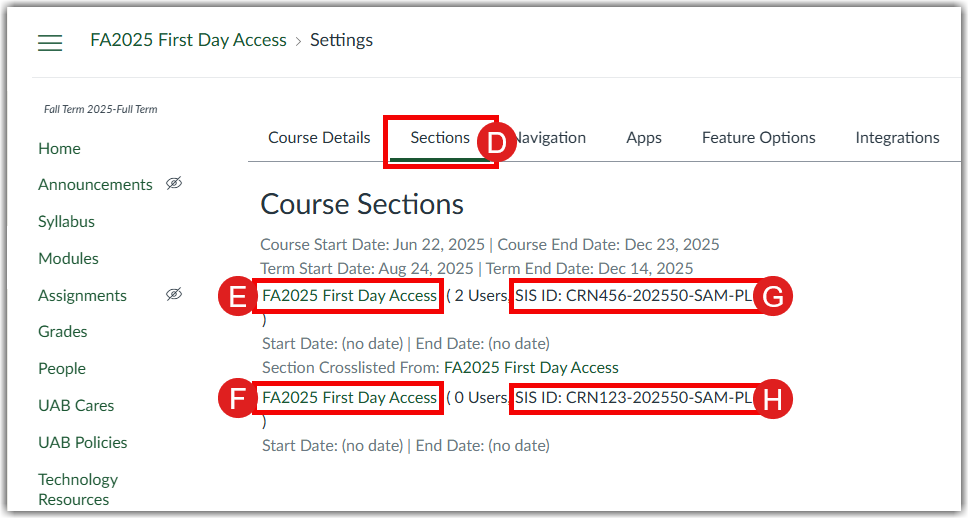
To get the information the bookstore needs for First Day Access with a cross-listed/merged Canvas course, the course instructor goes to the merged course Settings (A) in Canvas. The Merged Context_Tile (B) is shown as Name. The Merged Canvas_course_id(C) is listed as SIS_ID (C). To get the original course information, open the Sections (D) tab.

The Course Sections(D) tab of Canvas course Settings contains the original Context_Title (E), (F) for each course section. The Original Canvas_Course_ID is the listed SIS ID(G), (H) for each Context_Title.