To track the waste of Controlled Substances, please use the following instructions.
- Click Inventory icon
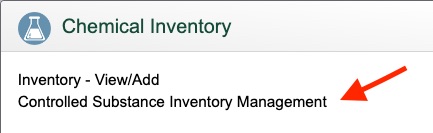
- Click Controlled Substances Inventory Management
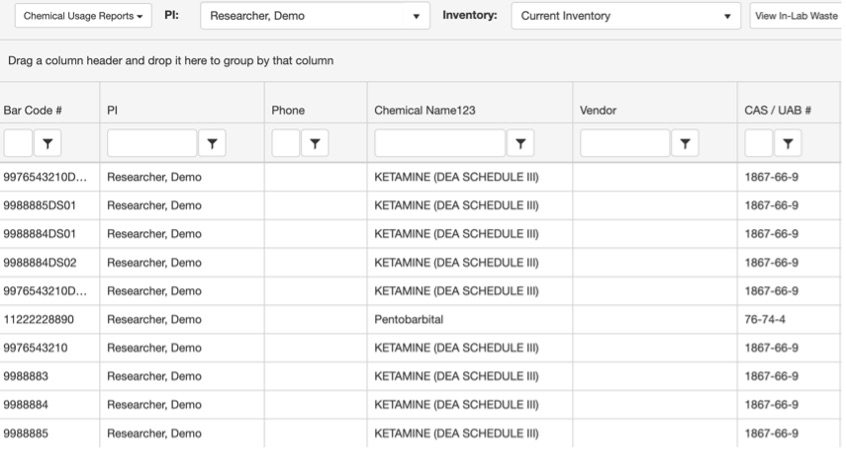
- Double-click on the row of the bottle that you want to waste from your inventory.
- Under Usage for Bottle ID #, click Add to waste.

- To add a waste entry:
Enter the date (or select by clicking the Calendar button).
Click the drop-down menu next to Usage Type > select Waste [Loss or Breakage] from the menu.
If the entire container has been lost/broken/spilled, check the box next to Totally Used.
Otherwise, enter the amount lost/wasted into Usage Amount.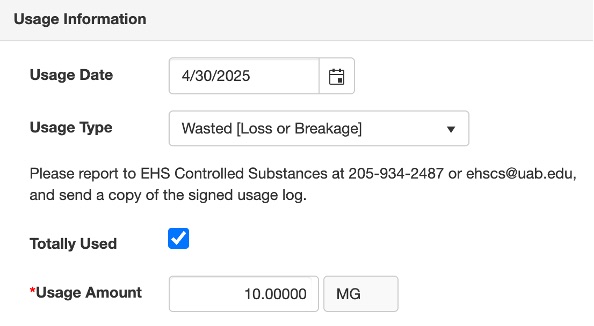
- Once completed, click Save.
- Send a scanned copy of the signed Usage Log to ehscs@uab.edu.