1. Login to EHSA: https://ehsa.fab.uab.edu/ehsa
2. Click EHS Assessment (bottom right corner) on the EHSA home page.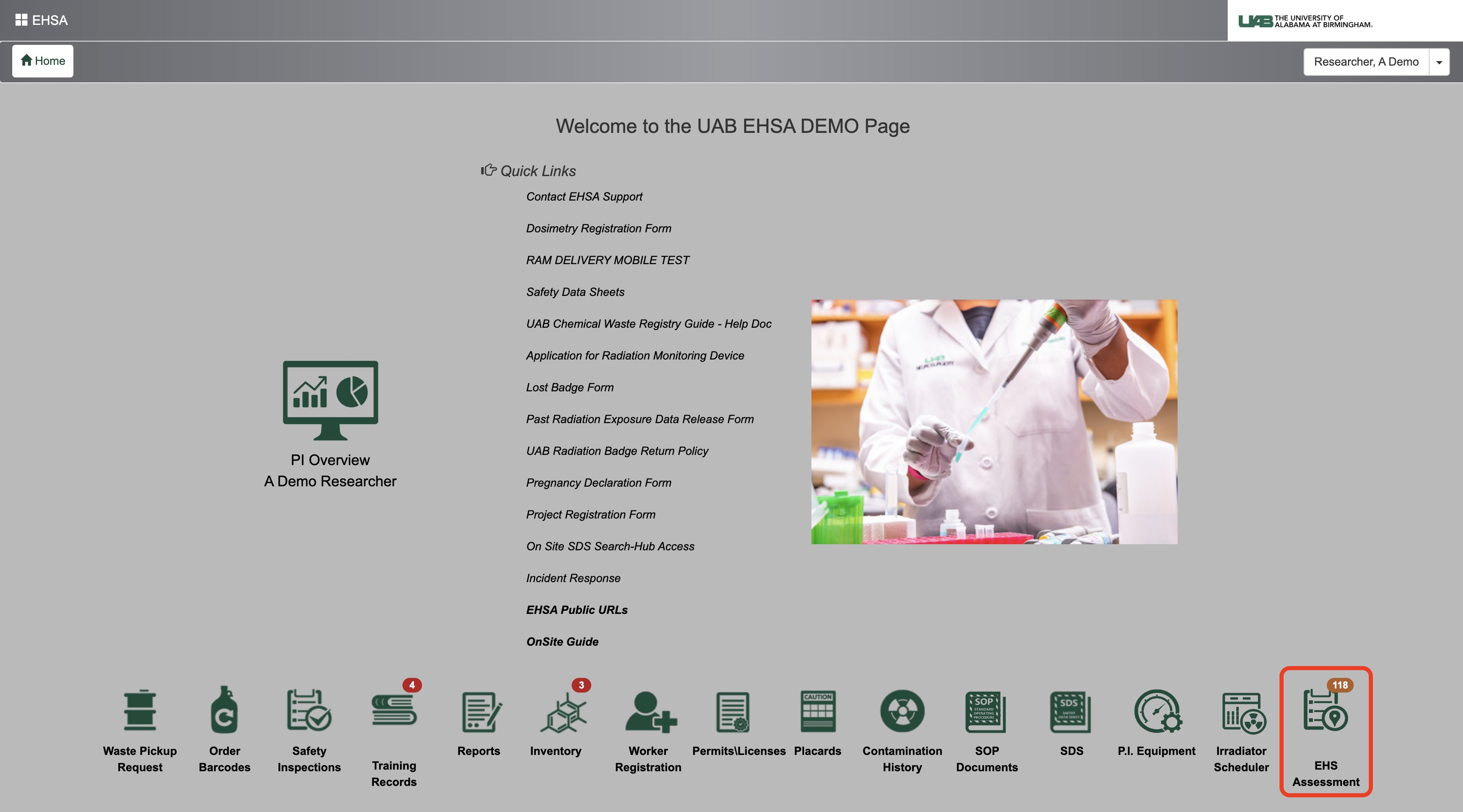
3. Click Browse New Forms (top left corner)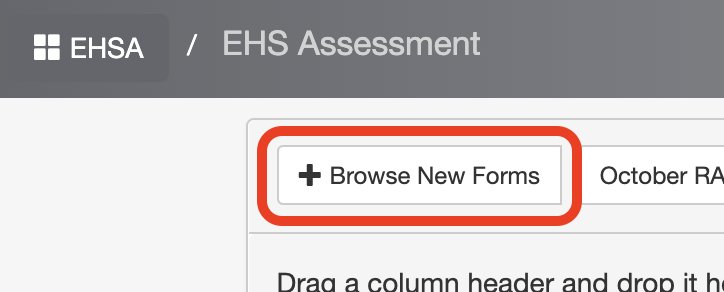
4. Click Start next to Controlled Substances Use Authorization Request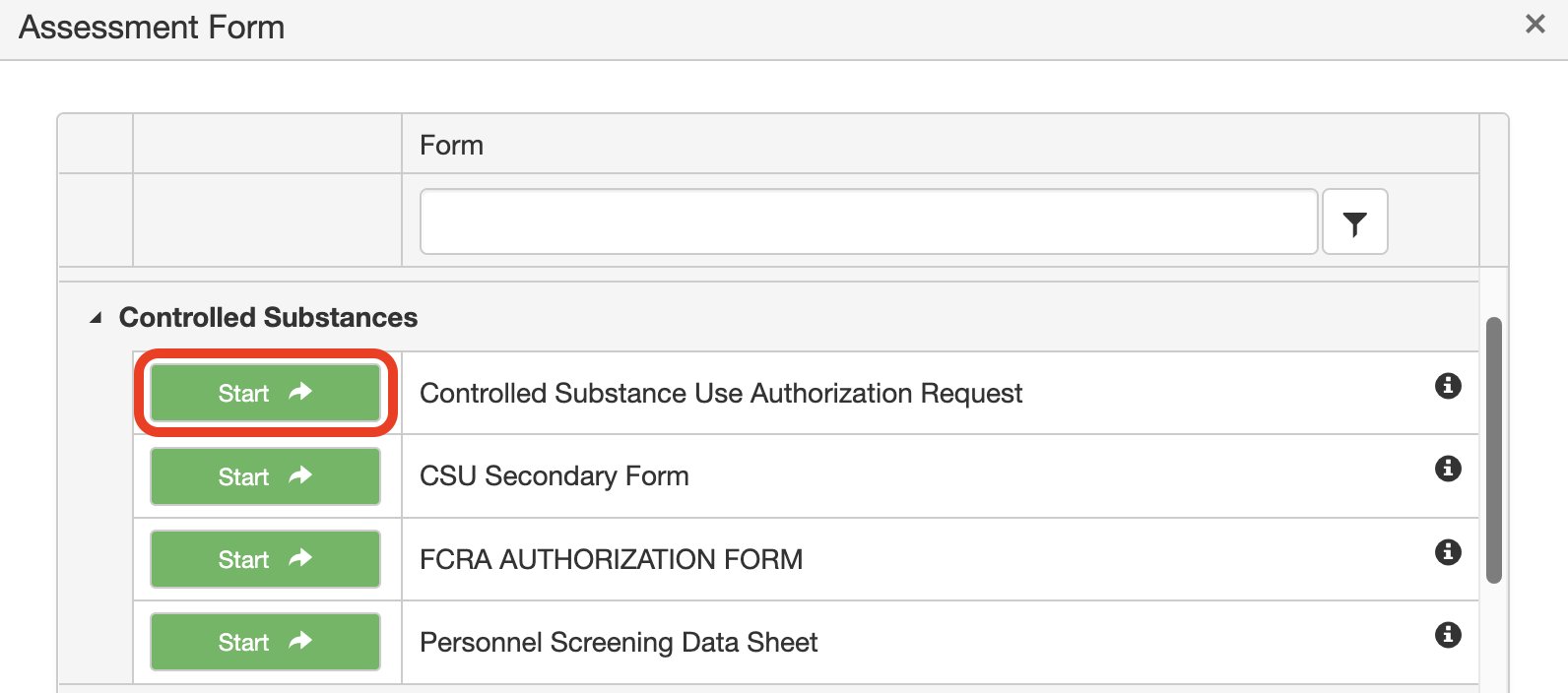
5. Click on the drop-down menu next to Permit > and click New Permit CSUA.
Under Amendment Type: click on Initial Approval.
Click the green Create Assessment button. 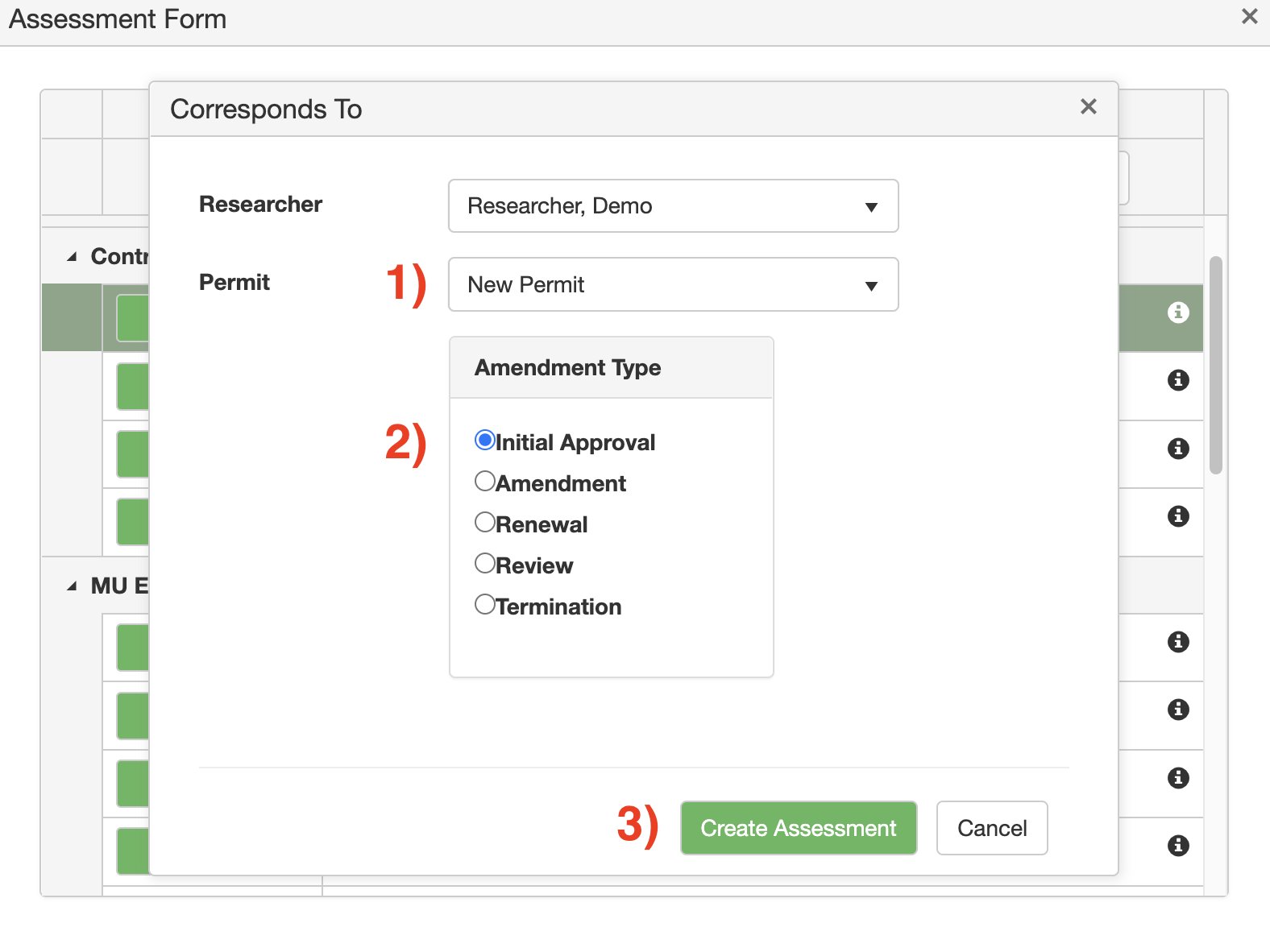
6. Attach worker(s) using the tool on the righthand side of the form.
Click the Find Worker button. 
Search for the worker by First or Last name > click Select next to the worker you want to add.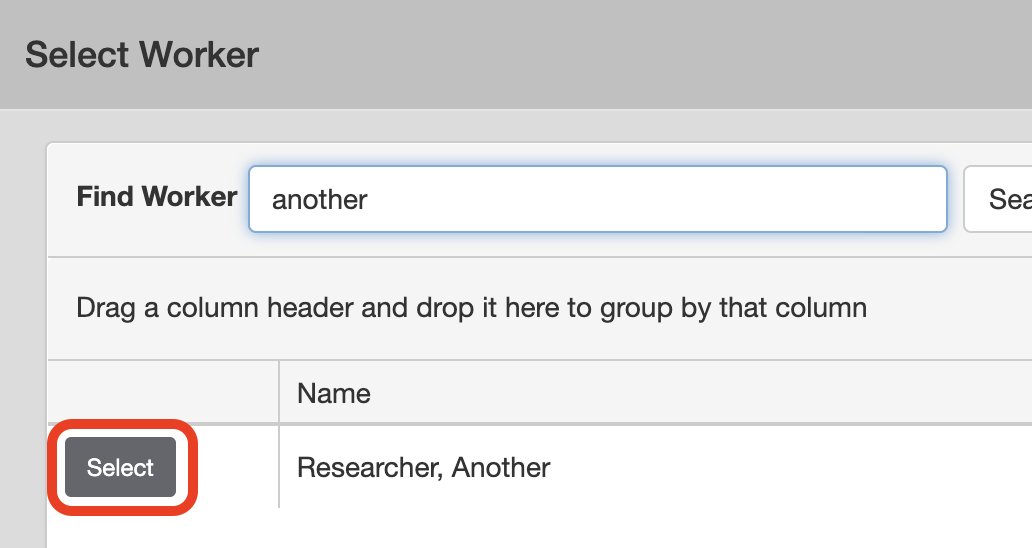
Click the Close button when finished.
7. Attach location(s):
Click the drop-down menu next to Building > type to search for the building > click on the name of the building you want to add rooms from.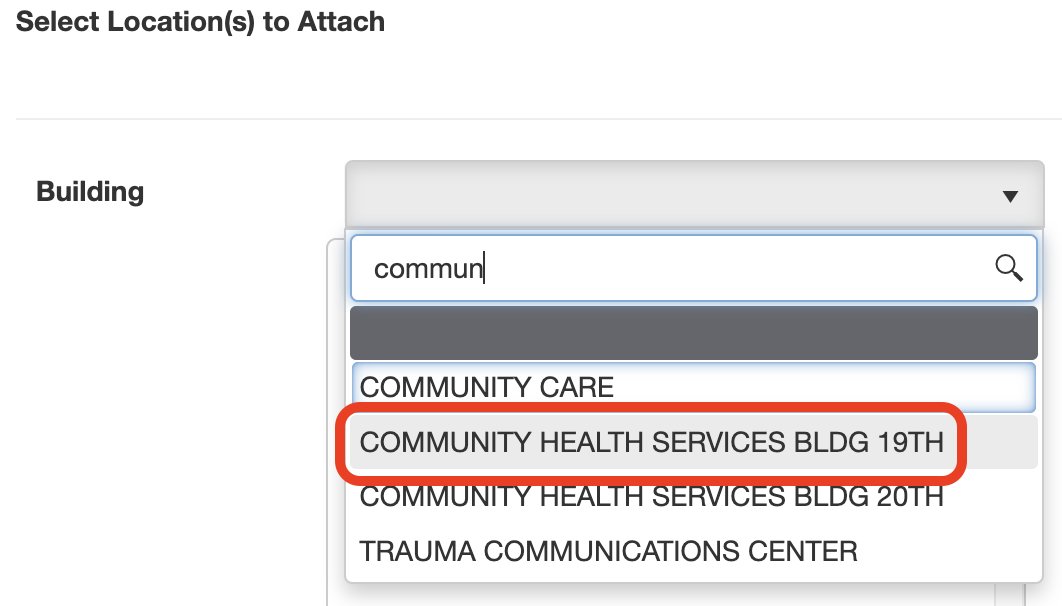
Click the green arrow button next to the room(s) you want to add. 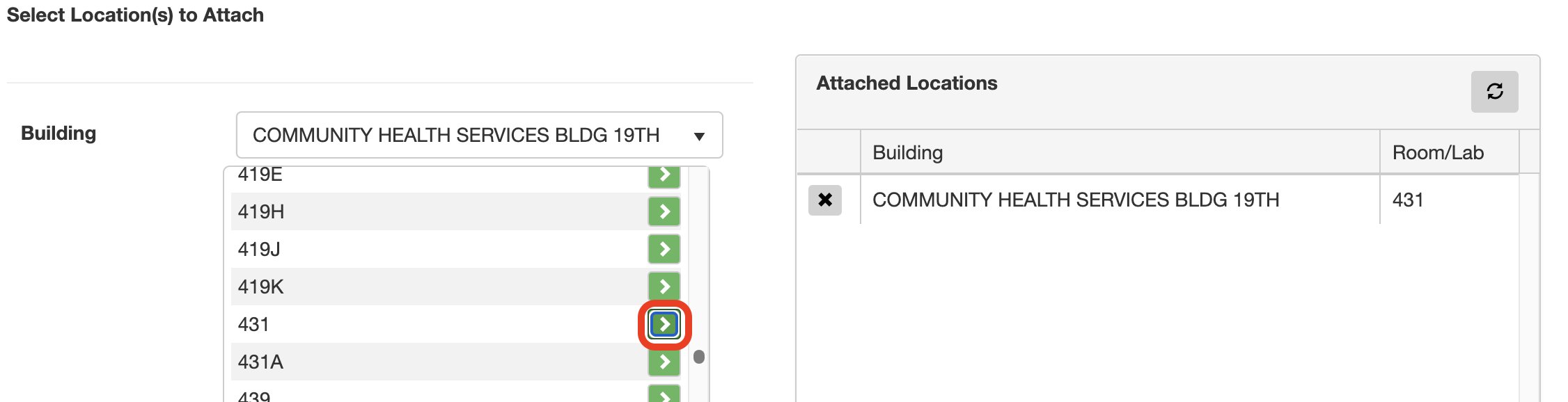
8. Click Next at the bottom of the page to navigate to the Assessment Questions.
9. Complete any missing personal information in the “P.I. Information” tab.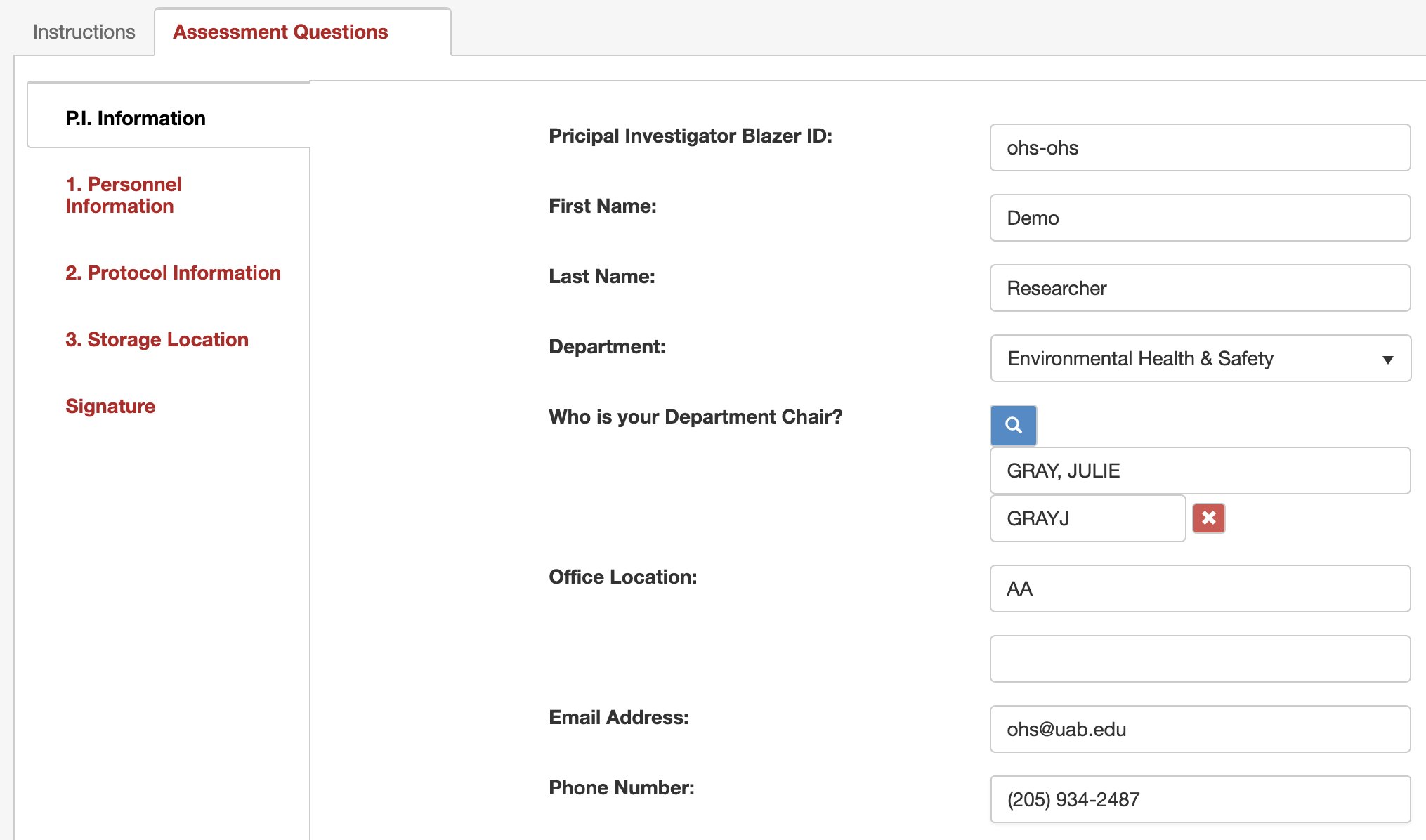
Click Next to proceed to the ”Personnel Information” tab.
10. If you need to add additional personnel that will be working under the CSUA (Controlled Substance Use Authorization) permit, click the green Add button & use the search function.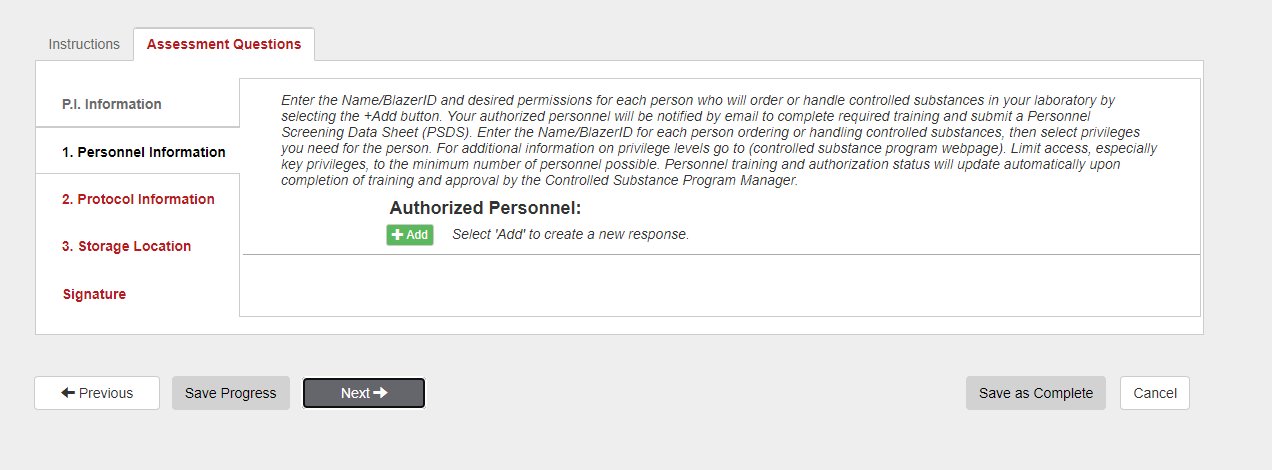

11. As shown in the image, this option allows you to choose whether the Secondary Contact should receive the emails that are sent to the PI. Please select Yes or No.

12. For each worker, assign the appropriate permissions.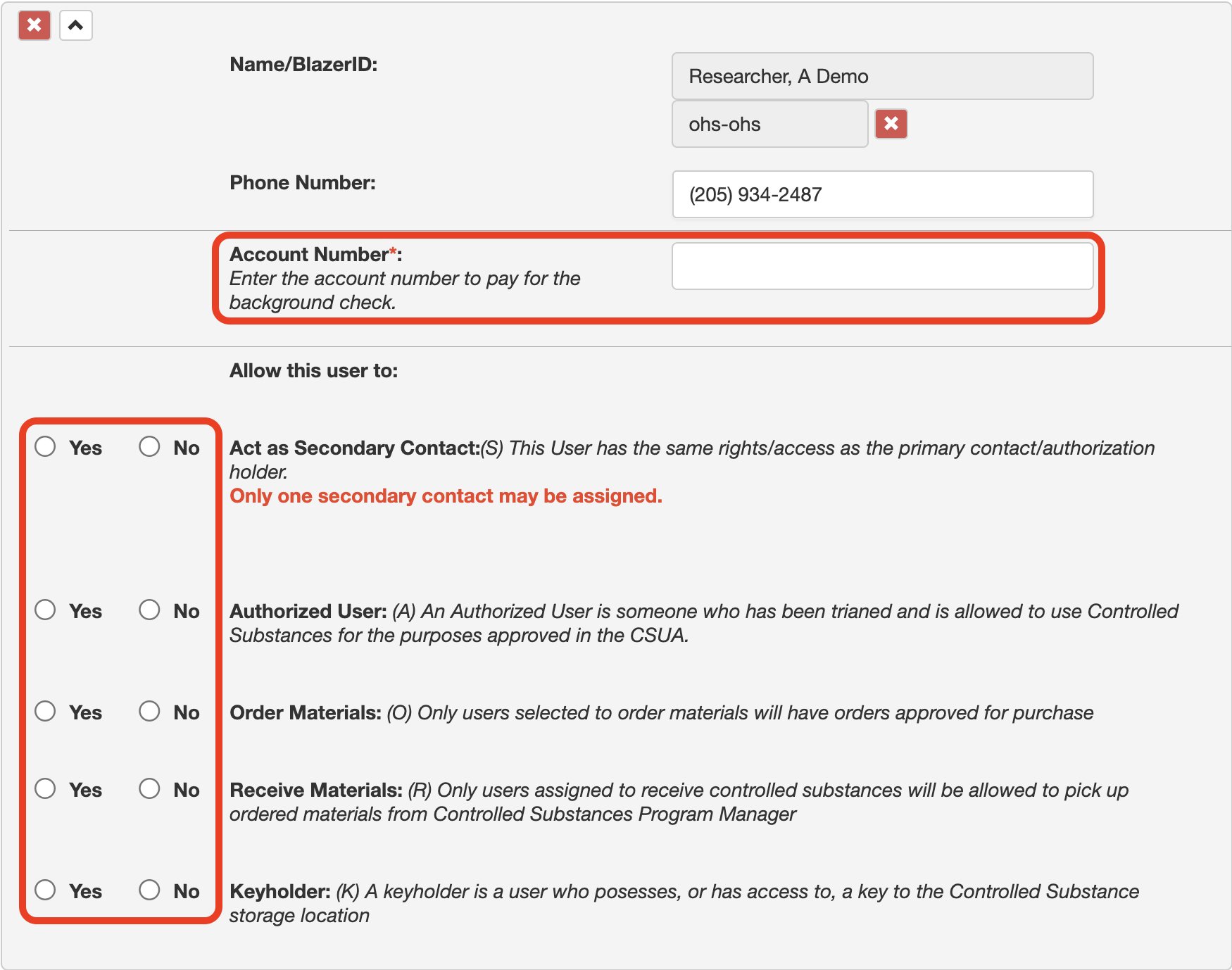
Click Next at the bottom to navigate to the Protocol questions
1. Select 
for each protocol you need to fill out.
2. Click on the Controlled Substances drop-down menu and select your drug from the list. You can begin typing a drug name to filter out the list. 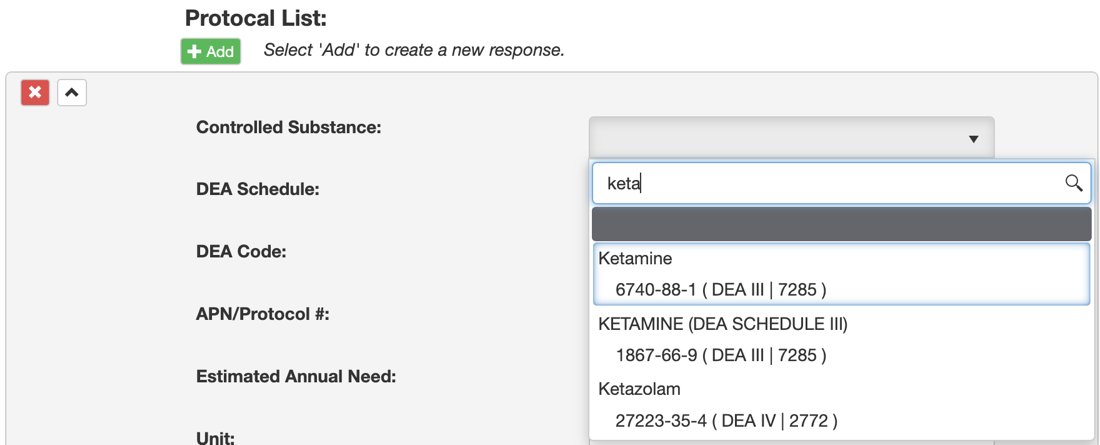
3. Provide the APN/Protocol #, estimated annual need, number of units, and purpose for administering the drug.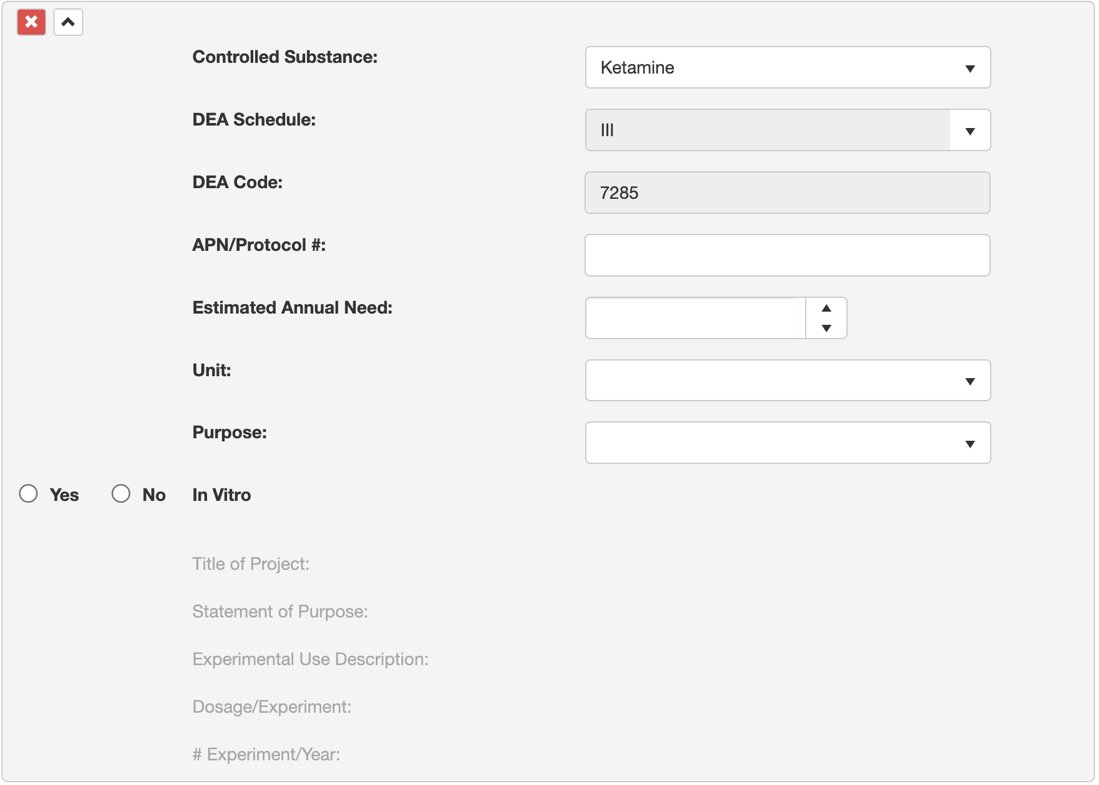
Once all drugs have been added, click Next to navigate to the Storage Location tab.
1. Check the box next to the location where the controlled substance will be stored.
Select the type of storage location and click Next to navigate to the Signature tab. 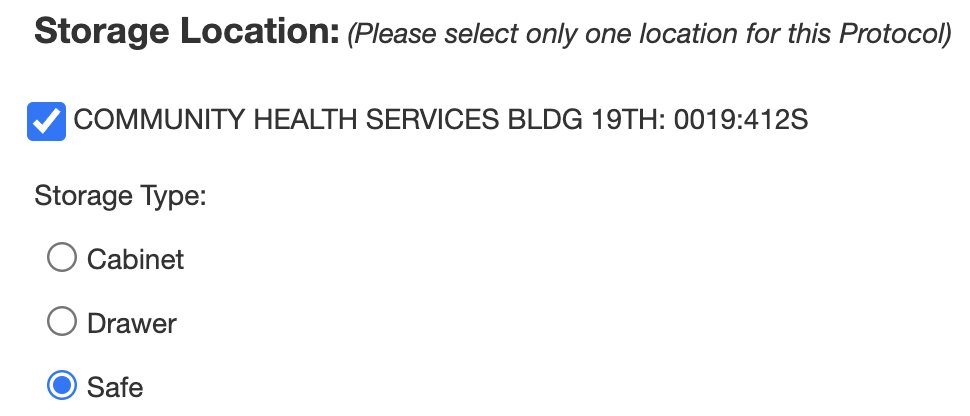
2. Click Sign to add your information to the signature line.
3. Click Save as Complete to submit the form >
click Yes when asked if you would like to proceed.
4. Click OK in the resulting notification window.